
Slide 1: What is IoT?
An Introduction
Uli Raich (uli.raich@gmail.com)
Formally CERN, Geneva, Switzerland
Slide 2: What is IoT?
Answer: IoT is the Internet of ThingsBut\x85 what is the Internet of Things?
I hate buzz-words! Everybody talks about IoT but who does deeply know, what is hidden behind the acronym. Who is able to set up an IoT by himself?
Slide 3: The child and the elephant
Child: \x93What is an elephant\x94Me: An elephant is a grey animal!
Result:
- The child has got an answers and does not disturb me any longer
- The child thinks that I am clever, because he thinks
I know what an elephant is (which is not true!)
- The child does not know much more than before asking
 |
 |
Slide 4: What should I have done?
- Learned about elephants myself
- Told him everything about elephants I know myself:
- Where and how they live
- What they eat
- How they behave \x85
- Where and how they live
- Gone to the zoo (in Europe) or a nature reserve (here in East Africa)
to show him a live elephant.
Slide 5: What is the \x93I\x94 in IoT ?
The \x93I\x94 stands for Internet. This means:We need a processor (IoT node) that can connect to the Internet.
It must be powerful enough to run Internet protocols and
it needs an interface to the Internet.
- Ethernet interface
- WiFi interface
- GSM
- \x85 connection to a gateway with access to the internet
Slide 6: Standard way to access the Internet
Usually the Internet is used by humansTypical applications are
- WEB browsing
- Email
- Social media
- Telephone and chats
!IoT: \x93Things\x94 communicate also without human intervention.
Slide 7: Things, Sensors, Actuators
- Coffee machines, dish washer, washing machine, \x85
- Burglar alarm system
- Intelligent farming
- Weather station
- Scientific measurements
- Industrial factory control
- Car electronics, ignition system, ABS,\x85
- You name it!
Slide 8: The IoT system
We need a system with a number of processors that read out sensors and/or control actuatorsThese processors communicate with each other over the Internet with or without human intervention. Design decisions:
- Which processors?
- Which communication protocol
- Which GUI to be able to see what is going on?
- Which programming language?
Slide 9: The Raspberry Pi
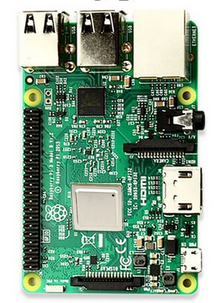
| The Raspberry Pi is a small computer powerful enough to run a full blown Linux operating system: A quad core 1.2 GHz Broadcom 64 bit ARM CPU
|
 |
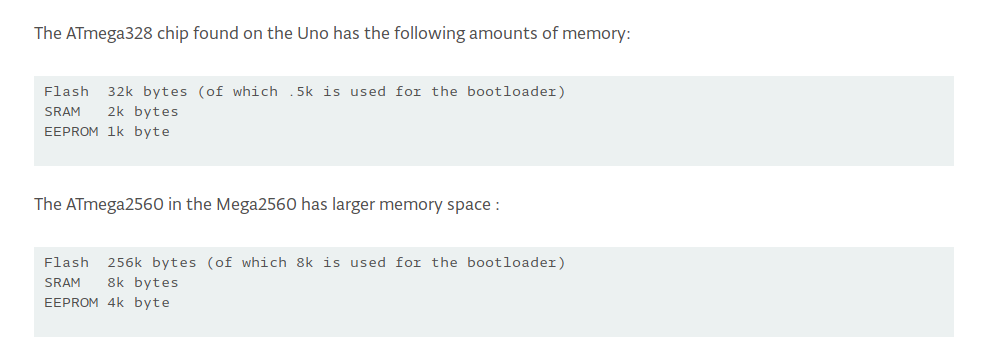
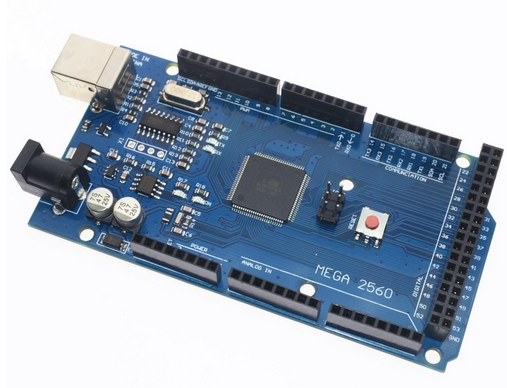
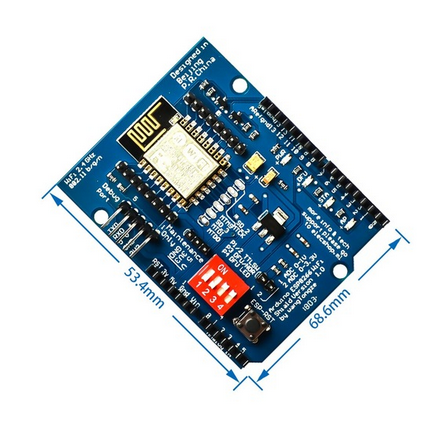
Slide 10: Arduino + WiFi shield
 |
 |
Slide 11: The ideal IoT solution?
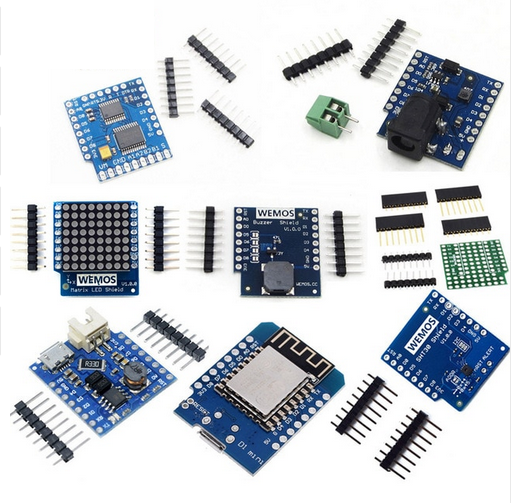
| ESP8266 or ESP32 processor board ESP8266 specs:
ESP32 is even more powerful Cost: ~ 4.5 US$ |
 |
Slide 12: Communication
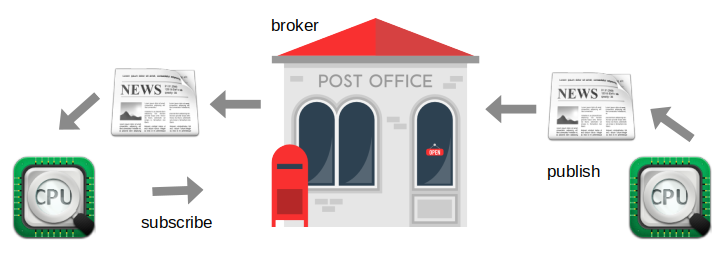
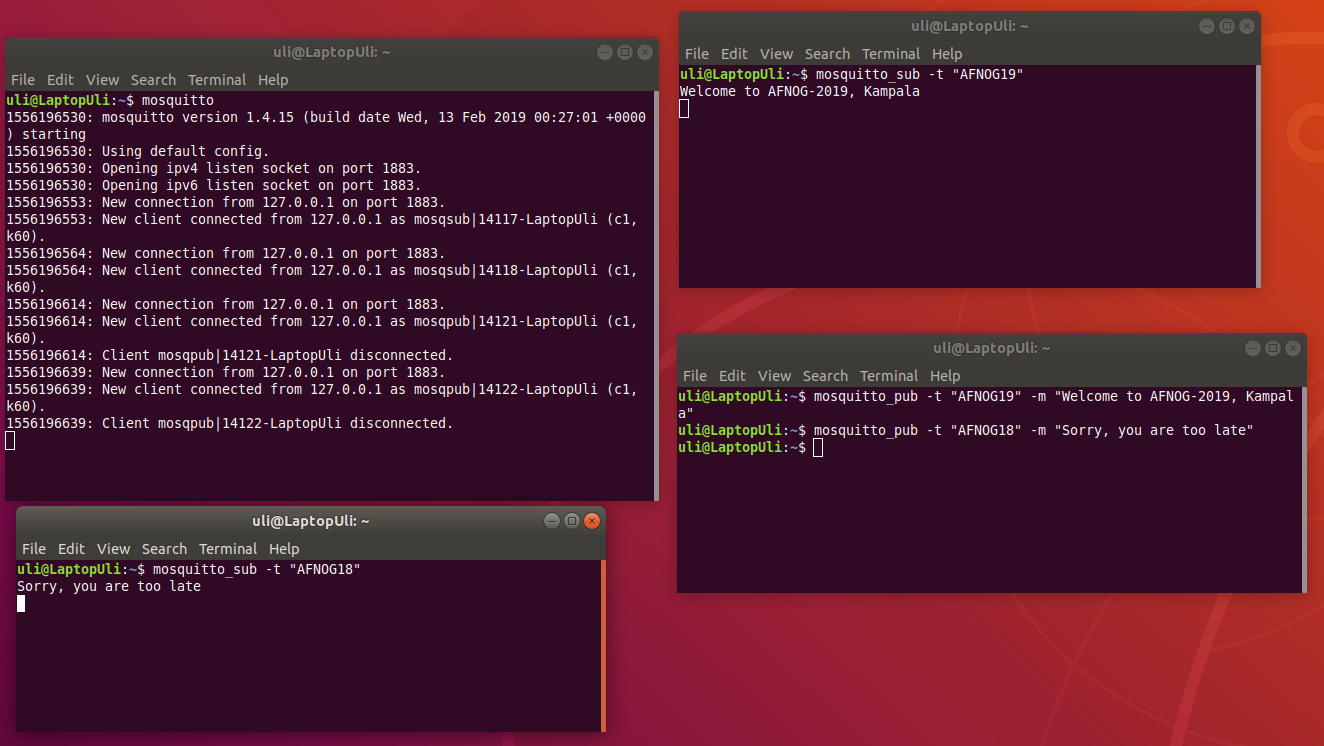
MQTT (Message Queuing Telemetry Transport: a publish-subscribe basedMessage protocol running of top of TCP.
A processor can subscribe to messages of a certain \x93topic\x94 and/or it can push its
results on a certain topic
Slide 13: MQTT Demo
Slide 14: Programming language
- Only the data recovered from the communication protocol is seen
- Any programming language will do
- Cayenne/MQTT libraries are available for
- C, C++
- Python
- Java
- Java Script
- C, C++
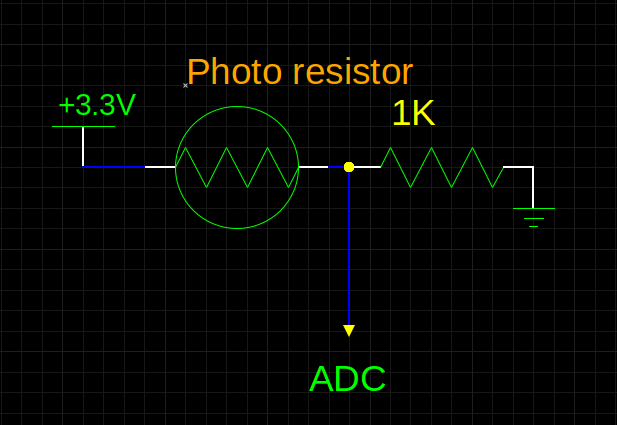
Slide 15: Prototype Board Hardware: Photo-Resistor and LED
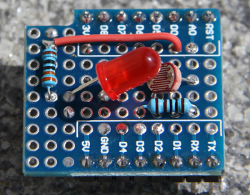
The photo resistor and the 1 kΩ resistor form a voltage dividerThe LED can be switched on by program and changes the light
Intensity seen by the photo resistor
 |
 |
Slide 16: Sensor Readout example: Photo-Resistor and LED
|
The ADC and GPIO driver classes
are already available in micropython. This makes readout a child\x92s game. | 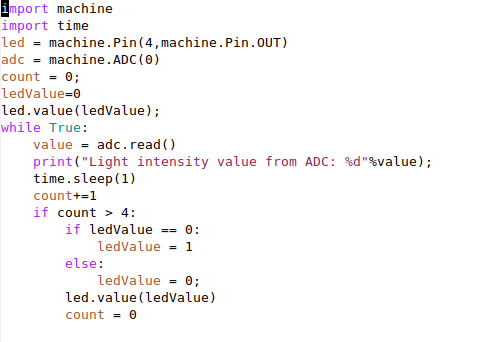 |
Slide 17: Cayenne
- Cayenne supplies the MQTT broker
- It uses a dedicated format for \x93topic\x94 and \x93payload\x94
- We hide these details in a \x93Cayenne\x94 Python class
- Cayenne supplies widgets for display and control
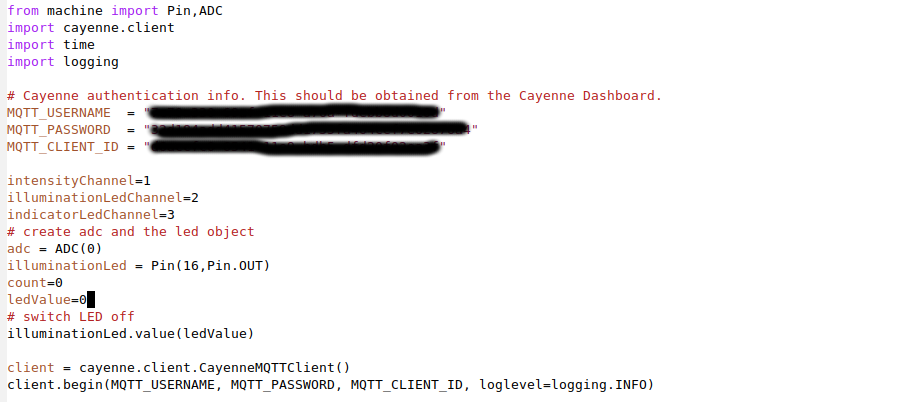
Slide 18: Cayenne definitions
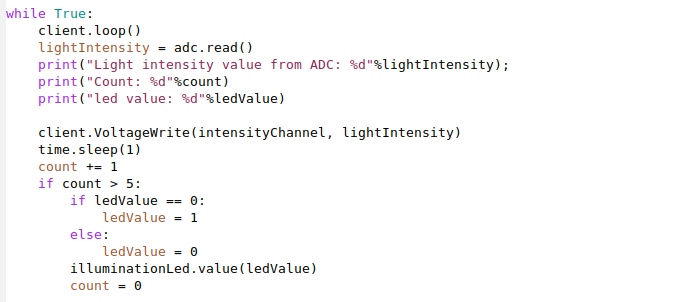
Slide 19: Publish to Cayenne
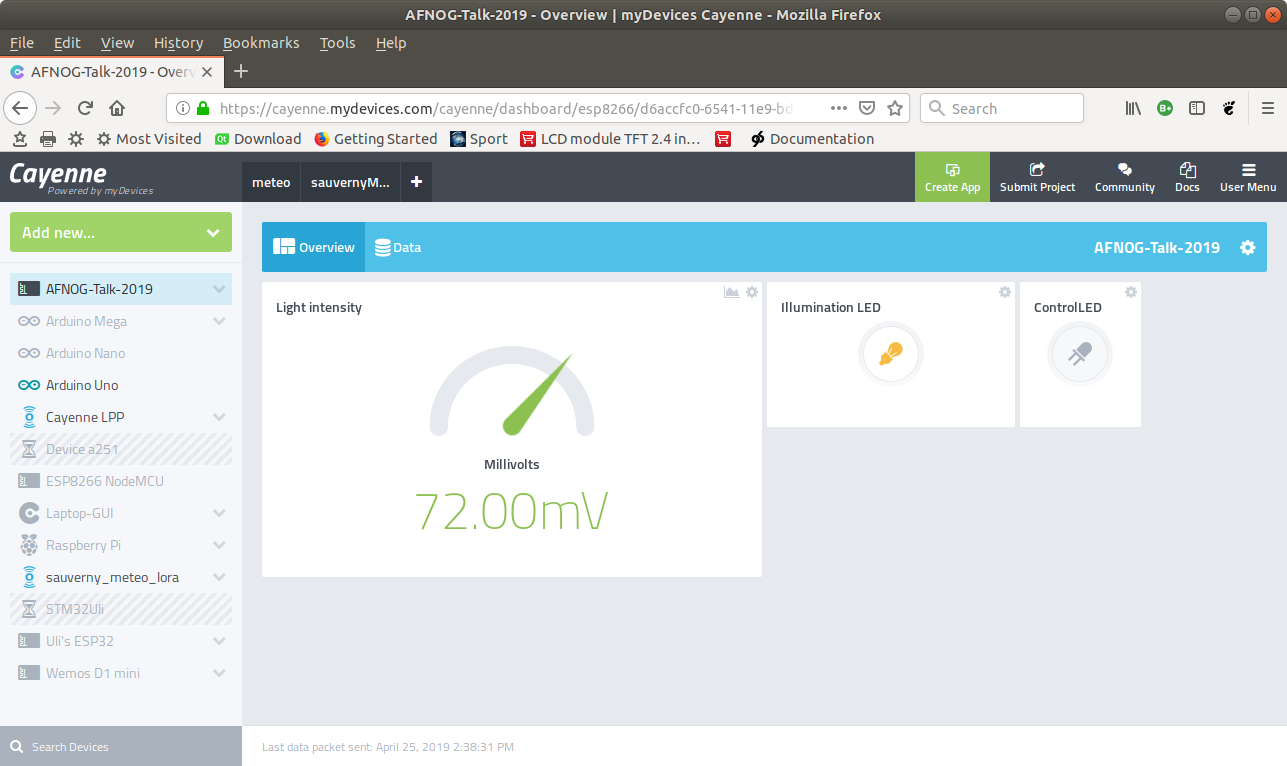
Slide 20: Results on Cayenne
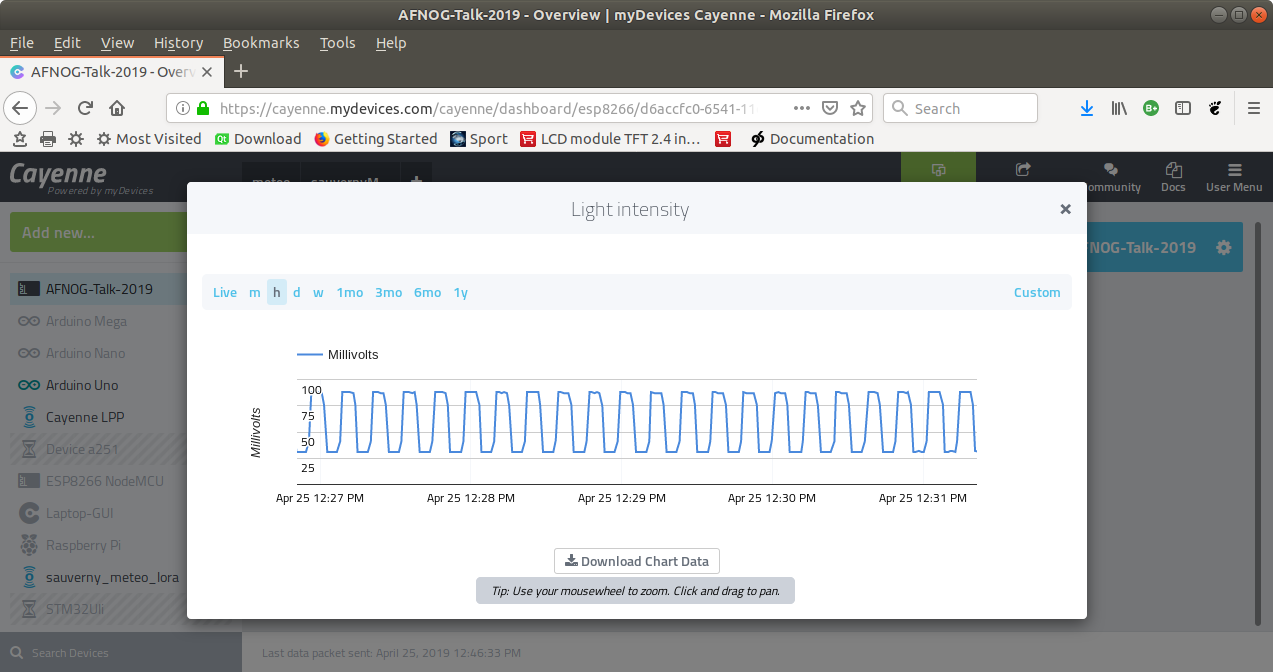
Slide 21: ... or the history plot
Slide 22: Do you want to know more?
Unfortunately you missed the workshop on IoT at this conferenceBut you may have a look at its Twiki server
http://afnog.iotworkshop.africa
\x85 or have a beer with me at the bar! -- %USERSIG{UliRaich - 2019-05-27}%
Comments






































Topic revision: r2 - 06 Jun 2019, UliRaich